
Introduction – Why I Needed One Tablet for Comics, Blogging and Travel
On ComicsDeck, we have already gone through the usual suspects in our best tablet for reading comics and best iPad for reading comics guides, looking at screen size, comfort, and price. Those guides are great. But I am an Android phone user who writes on WordPress, reads Marvel and manga online, and travels with a backpack that is already too full. Jumping fully into the Apple ecosystem just to read comics never felt urgent for me.
I don’t need a tablet that can edit Hollywood movies; I just need something that lets me read Batman and type blog posts without my eyes giving up.
When HONOR announced the MagicPad 4, a stupidly thin 12.3‑inch Android tablet with an OLED display, a Snapdragon 8 Gen 5, and a massive battery, the spec sheet looked like exactly the tablet for comics that I needed daily.
This article is my practical take on why I picked the MagicPad 4 over the usual iPad and Samsung options. It is not a technical teardown; it is a comic reader’s point of view on whether this thing survives airport lounges and WordPress drafts without emptying your wallet.
Why HONOR MagicPad 4 Caught My Eye
HONOR positions the MagicPad 4 as an ultra‑thin Android tablet: the chassis is about 4.8 mm thick, which makes it noticeably slimmer than most of the slabs sitting on display at electronics stores. It weighs roughly 450 g, meaning it feels more like carrying a thin magazine than a heavy laptop in your backpack.
For someone who travels, that matters.
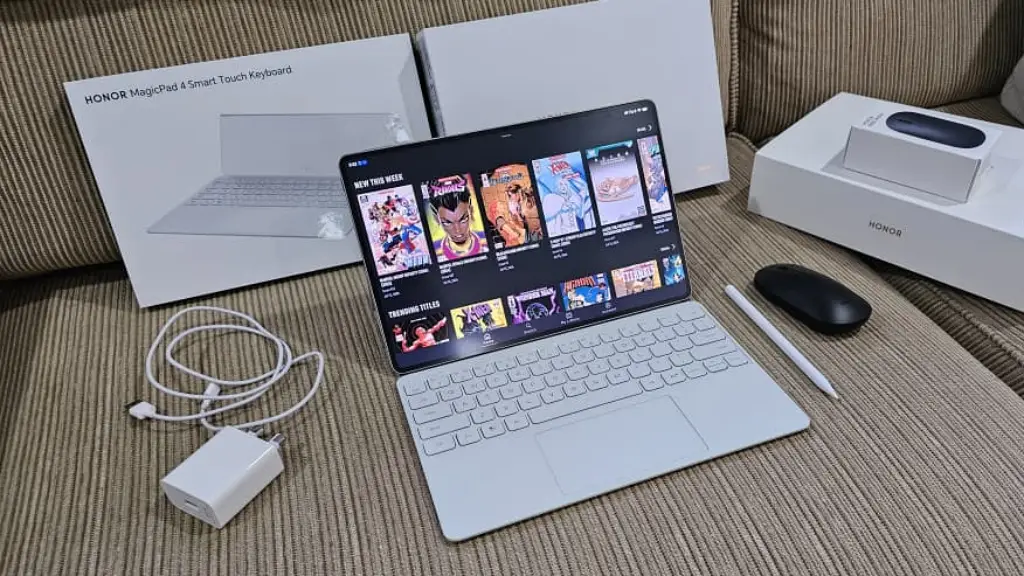
Up front is a 12.3‑inch OLED display with a 3K resolution, HDR brightness hitting 2400 nits, and a 165 Hz refresh rate. Inside, you get a Snapdragon 8 Gen 5 processor, up to 16 GB of RAM, and a 10,100 mAh battery. The spec sheet looks like it is trying very hard to impress competitive gamers, but the reality for me is simpler: that hardware combination promises enough speed and endurance to juggle WordPress, multiple comic apps, and long travel days without forcing me into the premium price bracket.
The Screen: What OLED Really Means When You Are Reading Comics
On paper, the MagicPad 4 screen is a 12.3‑inch OLED panel at 3000 × 1920 resolution. In simple terms, OLED means each pixel can switch off completely. If you read a lot of night scenes, Batman runs, or horror comics, this screen makes cheap LCDs feel like someone smeared grey over your blacks. The colors of capes, energy blasts, and neon city lights pop more like a modern cinema screen than an old television.
The 12.3‑inch size means full‑page comics are readable without constant pinching and zooming, especially in portrait orientation where panels have enough breathing room. HONOR also threw in eye‑comfort features like fast PWM dimming to control flicker. In practice, this means less eye strain during late‑night chapter binges after work compared to cheaper, dimmer tablets.
Performance: What Snapdragon 8 Gen 5 Feels Like Day to Day
Inside, the MagicPad 4 runs on Qualcomm’s Snapdragon 8 Gen 5. You do not need to know the exact core names for it to matter.
Translation: this thing is fast enough that the tablet isn’t the bottleneck, your internet and your attention span are.
In everyday use, the important part is how it handles the logistics of your digital life. I regularly have WordPress, Marvel Unlimited, three browser tabs, and Telegram open at the same time. Nothing stutters. My brain is slower than the tablet. With up to 512 GB of internal storage, you don’t even need a microSD card slot; that is more than enough space to hoard a massive offline comic library plus downloaded anime for long flights.
Typing, Blogging and Working on ComicsDeck
HONOR MagicPad 4 comes with a Smart Keyboard cover, turning it into a compact travel setup. MagicOS 10 includes a PC Mode that rearranges apps into resizable windows with a taskbar at the bottom. It feels much closer to a lightweight desktop environment than a blown-up phone screen.
In PC Mode, you can open the browser, your WordPress dashboard, and a document editor in separate windows, dragging files between them like normal.
For working adults whose office is whatever café table is clean, this setup is more than enough.
It makes writing and editing posts for ComicsDeck totally doable without lugging a full laptop across the country.
Reading Online Comics: Apps, Layout and Comfort
The real test for any tablet is how it handles Marvel Unlimited, DC Universe Infinite, and webtoon platforms. Because the MagicPad 4 runs standard Android 16 with Google Play support, every mainstream comic app installs and runs exactly as it should.
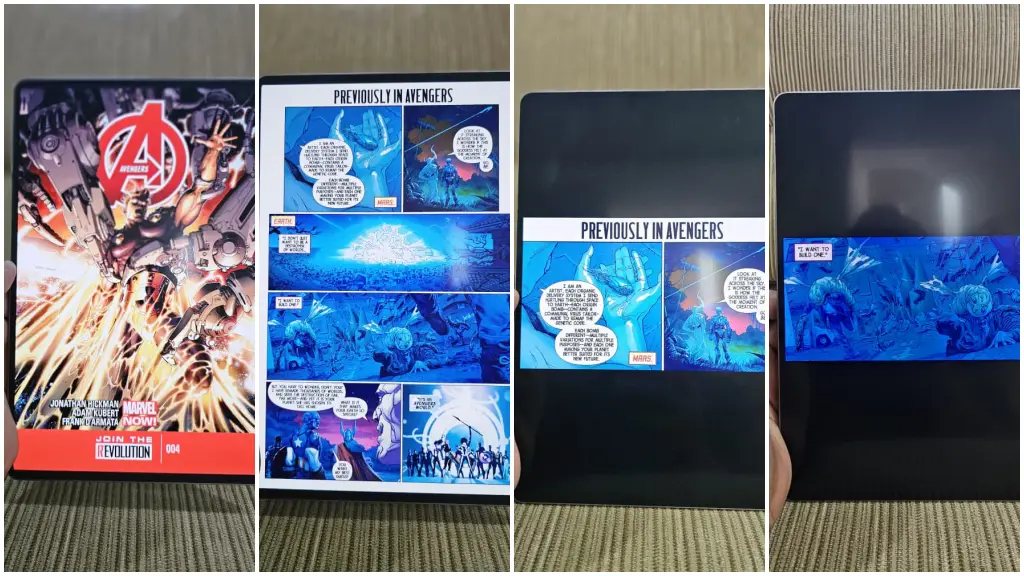
If your main hobby is clicking ‘next issue’ until your battery dies, this screen can handle it.
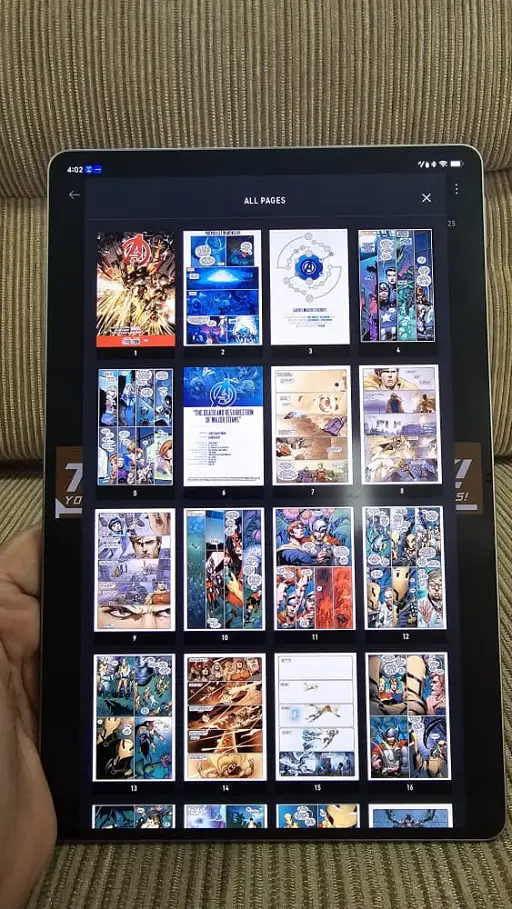
Western comics look phenomenal in portrait orientation, while webtoons benefit from the ultra-smooth 165 Hz scrolling. Double‑page spreads display crisply enough that you don’t lose the background linework, and the high peak brightness means you can actually read in a brightly lit airport terminal without staring at your own reflection.
Sound: Great for Hotel Rooms, Not for Airplanes
The tablet is equipped with eight speakers supporting HONOR’s Spatial Audio system, giving it a surprisingly wide and loud soundstage. It delivers deeper lows and clearer highs than you usually get from something this thin, making it great for watching Netflix or anime in a hotel room without packing a Bluetooth speaker.
However, there is no 3.5 mm headphone jack. Please do not be that person blasting anime in economy class. The speakers are for hotel rooms, not hostage situations.
Practically, you will still want Bluetooth earbuds for movies on planes. I treat the speakers as a nice bonus for background music while I write, but they are secondary to the screen and battery.
A Quick Word on Cameras (And Why I Still Reach for My Phone)
HONOR equipped this with a 13 MP rear camera and a 9 MP front camera. They are basic. They work perfectly fine for scanning documents or jumping on a video call.
But let’s be honest: I am still carrying a Samsung Galaxy S23 Ultra in my pocket. I am not going to be the guy holding up a 12-inch slab at a comic convention to take a photo. If I am shooting reference photos at a comic shop, I use my phone. The tablet camera is just there for Zoom meetings and look at this cover moments. It doesn’t compromise the tablet’s price or design for camera tricks, which is exactly how it should be.
Travel Use: From Airport Lounges to Hotel Desks
This is where the logistics really come together. At 450 g, it slides into a backpack and disappears. The 10,100 mAh battery paired with 66 W SuperCharge gives you roughly 10 hours of active use.
It survives a full day of delayed flights, sketchy airport Wi‑Fi, and you pretending to work while actually reading comics.
You can do a couple of work blocks on WordPress, watch a movie, and read a dozen issues before needing to hunt for an outlet. And when you do, it tops up from low to full in under two hours. It is the perfect travel companion for the lifestyle we cover on this blog.
Why Not iPad or Samsung This Time?
I am not allergic to Apple. Our guides prove iPads are excellent for reading comics. But for someone already using an Android phone and web-based tools, moving to an iPad means switching ecosystems and paying a premium once you add the keyboard and pencil.
I prefer not to pay iPad Pro money when my main benchmark is ‘does this make Wolverine look good?’
Since I use the S23 Ultra, a Samsung Galaxy Tab would seem like the obvious choice. Samsung makes incredible OLED tablets. But looking at the current pricing, the MagicPad 4 undercuts the top-tier Galaxy options while delivering comparable display quality and processing power. It hits that sweet spot of a premium experience without the flagship tax.
Who This Tablet Is For (And Who Should Still Look Elsewhere)
If you are already locked deep into the Apple ecosystem or rely on iPad‑exclusive creative apps, stick with an iPad. If you absolutely need Samsung’s S Pen features to match your phone workflow, buy a Galaxy Tab.
But if your life looks like mine, an Android phone, online comics, WordPress, and travel chaos, the HONOR MagicPad 4 finally feels like a tablet that understands that reality instead of trying to be a $2,000 studio workstation. It is a fantastic device for readers who want a premium OLED screen without the premium guilt.
To me, it’s the best tablet for comics, a completely unbiased opinion driven entirely by the fact that my bank account has already committed to it. I picked up the 512 GB version during launch week. In classic retail fashion, they bundled it with the Smart Keyboard cover and the Magic Pencil, and the shop even threw in a wireless mouse and a screen protector for free. You don’t walk away from free logistics gear.
If you want to upgrade your travel bag and finally stop squinting at comics on a small screen, you can check the current pricing for the tablet here: HONOR MagicPad 4 on Amazon.
Disclosure: Affiliate links. They do not cost you anything extra, but they do help keep the coffee brewing here.
